2026 में iPhone के लिए बेहतरीन IPTV Player (iOS Apps Tested और Ranked)
2026 में iPhone के लिए बेहतरीन IPTV Player (iOS Apps Tested और Ranked)
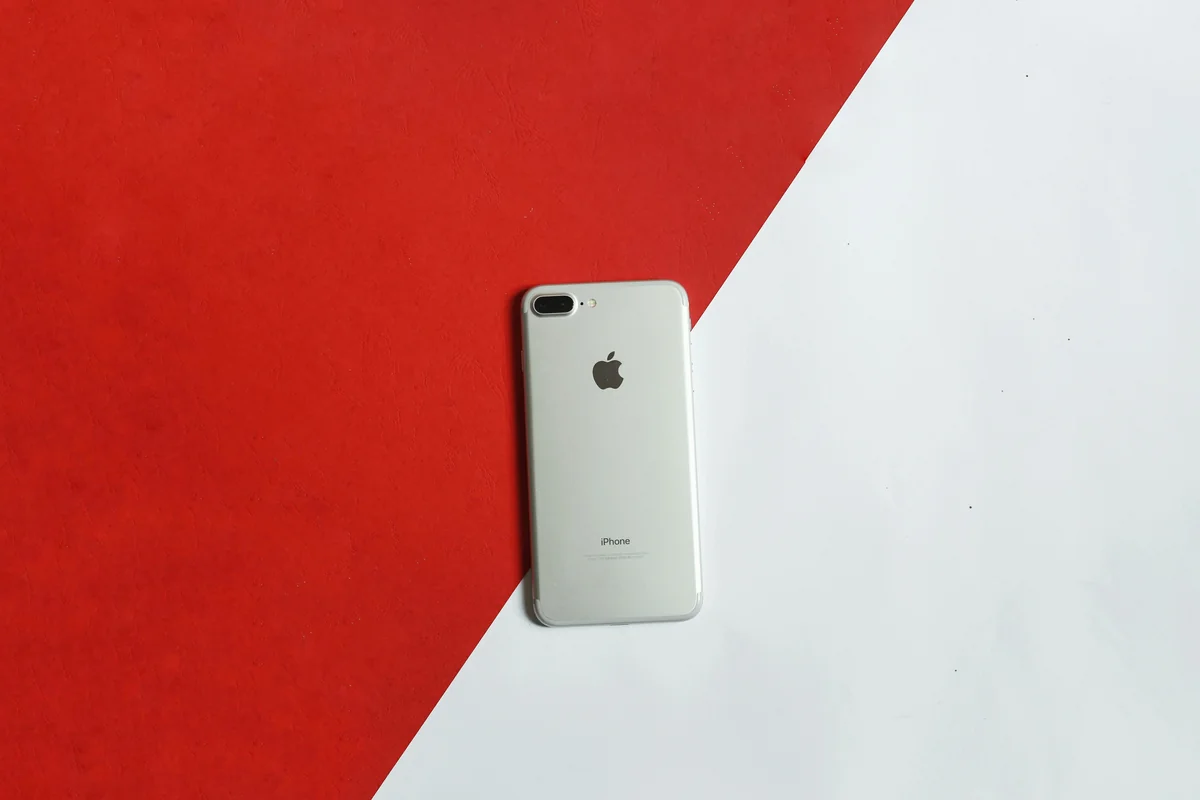
2026 में iPhone 59.2% of the US smartphone market रखता है (DemandSage, 2026), और 75% of all video content अब mobile devices पर consume की जाती है (Ericsson Mobility Report, 2025)। फिर भी अधिकांश IPTV player guides अभी भी Android-only apps को पहले rank करती हैं, जिनमें TiviMate भी शामिल है जो iPhone पर बिल्कुल नहीं चलती।
यदि आपने iPhone के लिए IPTV player ढूंढा है और App Store में नहीं मिलने वाले apps की lists मिलीं, तो यही problem है। iOS IPTV app market Android से अलग दिखती है।
हमने iPhone और iPad पर छह IPTV apps test किए, setup time, EPG quality, playlist compatibility और multi-device sync को cover करते हुए। यहाँ पूरी ranking है।
मुख्य बातें
- 2026 में 59.2% US smartphone users के पास iPhones हैं — फिर भी सबसे ज्यादा recommended IPTV app (TiviMate) iOS पर नहीं चलती
- Smartphones और tablets अब globally IPTV consumption का सबसे बड़ा share account करते हैं
- केवल एक iPhone IPTV app iOS, Android, Windows और Mac के across favorites और playback position sync करती है
- अधिकांश iOS-only IPTV apps तब तूट जाती हैं जब आपके household में कोई non-Apple device आता है
iPhone IPTV Player में क्या देखना चाहिए?
एक iPhone IPTV player को daily use के लिए worth करने से पहले चार bars clear करने होते हैं: Xtream Codes support, working EPG, AirPlay compatibility और कम से कम multi-device continuity का कोई form।
Xtream Codes authentication अधिकांश IPTV providers के लिए standard login method है। Apps जो केवल M3U URL imports support करती हैं, वे आपको static playlist link पर rely करने पर force करती हैं।
EPG quality निर्धारित करती है कि iPhone पर IPTV देखना real television की तरह feel होता है या नहीं।
AirPlay support आपको iPhone से Apple TV, compatible smart TV या Mac पर IPTV stream send करने देता है।
Multi-device sync वह factor है जो अधिकांश iOS IPTV reviews skip करती हैं। जब आपके पास Android TV box, Windows PC या Fire TV Stick भी हो तो क्या होता है? अधिकांश iPhone IPTV apps के लिए, जवाब है: कुछ नहीं।
2026 में iPhone के लिए 6 बेहतरीन IPTV Players
1. IPTV One — iPhone के लिए सर्वश्रेष्ठ
Platforms: iOS, iPadOS, macOS, Android, Windows, Linux, Apple TV, Fire TV Available on: App Store | Price: Free
IPTV One ही एकमात्र iPhone IPTV player है जो true multi-platform product के रूप में built है। यह M3U/M3U8, Xtream Codes और Stalker Portal support करता है। EPG TMDb metadata add करता है। AirPlay out of the box काम करता है। Cloud sync आपके iPhone को हर अन्य device के साथ tie करता है जो आपके पास है।
Strengths: Cross-platform cloud sync (8 platforms), TMDb EPG metadata, AirPlay, offline downloads, 4K/HDR/Dolby Vision, M3U + Xtream Codes + Stalker Portal। एक catch: Player only — अपने IPTV provider से playlist लाएं।
2. IPTV Smarters — अच्छा Multi-Platform iOS Option
Platforms: iOS, Android, Windows | Available on: App Store | Price: Free
IPTV Smarters का solid iOS version है जिसमें M3U, Xtream Codes और EPG support है। AirPlay काम करता है। कोई cloud sync नहीं।
Strengths: Reliable, M3U + Xtream Codes, EPG, AirPlay, free। एक catch: Devices के बीच cloud sync नहीं।
3. iPlayTV — Best Apple-Ecosystem Design
Platforms: केवल iOS, iPadOS, Apple TV, macOS Available on: App Store | Price: Paid (one-time purchase)
iPlayTV Apple के Human Interface Guidelines closely follow करती है। M3U playlists EPG integration के साथ support करती है, time-shifting, iCloud Drive पर recording और AirPlay। कमी: कोई Xtream Codes support नहीं (M3U only), कोई cross-platform sync नहीं Apple devices से परे, और paid।
Strengths: Best Apple-native UI, iCloud recording, Apple Watch companion app। एक catch: Xtream Codes नहीं, Apple-only platforms, paid।
4. IPTVX — Apple Households के लिए iCloud Sync
Platforms: केवल iOS, iPadOS, Apple TV, macOS Available on: App Store | Price: Paid
IPTVX अपने iCloud sync के लिए notable है, जो iPhone, iPad, Mac और Apple TV पर favorites और playlists को sync रखता है। उपयोगी — यदि आप केवल Apple devices use करते हैं। कोई Xtream Codes support नहीं।
Strengths: Apple devices पर iCloud sync, good EPG, polished UI। एक catch: Apple-only sync, Xtream Codes नहीं, paid।
5. GSE Smart IPTV — Veteran iOS Option
Platforms: iOS, iPadOS, Apple TV, macOS Available on: App Store | Price: Freemium
GSE Smart IPTV वर्षों से App Store में है और M3U, Xtream Codes और EPG via XMLTV support करती है। कोई cloud sync नहीं, कोई TMDb metadata नहीं। Free tier उपलब्ध।
Strengths: Free tier available, M3U + Xtream Codes। एक catch: Dated UI, cloud sync नहीं।
6. UniPlayer — Solid Apple TV + iPhone Option
Platforms: iOS, iPadOS, Apple TV Available on: App Store | Price: Freemium
UniPlayer M3U को good EPG और archive features के साथ support करता है। Xtream Codes support कुछ subscription tiers तक सीमित है। कोई cross-platform sync नहीं।
Strengths: Strong Apple TV integration, good EPG, archive support, AirPlay। एक catch: Limited Xtream Codes, cross-platform sync नहीं।
IPTV One iPhone का #1 IPTV Player क्यों है?
Smartphones और tablets अब globally IPTV consumption का सबसे बड़ा share account करते हैं। लेकिन "largest share" का मतलब exclusive नहीं है। वही person जो सुबह iPhone पर IPTV stream करता है, वह शाम को living room TV पर देखता है।
हमारी finding: iPlayTV और IPTVX जैसे apps Apple-ecosystem sync problem को अच्छी तरह solve करते हैं। यदि आपके पास केवल Apple devices हैं — iPhone, iPad, Mac, Apple TV — वे genuinely अच्छे choices हैं। लेकिन जैसे ही Fire TV Stick, Android phone या Windows PC आपके household में enter करता है, उनका sync Apple boundary पर रुक जाता है। IPTV One ही एकमात्र iPhone IPTV player है जिसकी ऐसी कोई boundary नहीं है।
IPTV One का cloud sync सभी 8 major platforms पर simultaneously काम करता है। अपने iPhone पर channel को favorites में add करें और यह आपके Android TV box, Windows PC और Apple TV पर appear होता है।
TiviMate से switch करने वाले users के लिए हमारी complete TiviMate alternatives guide देखें। Windows PC users के लिए Windows के लिए बेहतरीन IPTV player guide देखें।
iPhone पर M3U Playlist कैसे Add करें (Step-by-Step)
IPTV One के साथ fresh iPhone install पर setup, App Store download से first channel playing तक 3 minutes से कम में हुई।
Step 1: अपने iPhone पर App Store खोलें। IPTV One search करें और Get tap करें।
Step 2: IPTV One launch करें। Sign in करें या IPTV One account create करें।
Step 3: Add Playlist tap करें और connection method चुनें:
- M3U URL — अपने provider का link paste करें
- Xtream Codes — server URL, username और password enter करें
- Stalker Portal — MAG-style portal के लिए
Step 4: Channels load होने के बाद, IPTV One automatically EPG data fetch करता है।
Step 5: Channels browse करें, star tap करके favorites add करें और देखना शुरू करें।
IPTV playlist types की full guide के लिए, हमारी complete IPTV setup guide देखें।
iPlayTV बनाम IPTV One — क्या Apple-Only App पर्याप्त है?
iPlayTV एक well-made app है। लेकिन यह higher rank क्यों नहीं करती?
Xtream Codes gap significant है। अधिकांश IPTV providers Xtream Codes के माध्यम से users को authenticate करते हैं। iPlayTV केवल M3U URLs support करती है।
Cross-platform gap और बड़ा है। iPlayTV Apple-only है। यदि आपके household में living room में Fire TV Stick या travel के लिए Windows laptop है, iPlayTV उन screens को completely uncovered छोड़ती है।
Apple-only households के लिए जो one-time purchase model prefer करते हैं, iPlayTV एक reasonable choice है। बाकी सभी के लिए, IPTV One same price (free) पर ज्यादा ground cover करता है।
अक्सर पूछे जाने वाले सवाल
iPhone के लिए बेहतरीन free IPTV player कौन सा है?
IPTV One और IPTV Smarters दोनों App Store पर free हैं। IPTV One में cloud sync, TMDb EPG metadata, 4K/HDR और Xtream Codes support बिना cost के शामिल है।
क्या IPTV One iPhone और iPad पर काम करता है?
हाँ। IPTV One App Store पर universal iOS app के माध्यम से iPhone और iPad पर चलता है। Same account iPhone, iPad, Mac, Apple TV, Android, Windows और Linux पर sync करता है।
iPhone पर M3U playlist कैसे add करें?
App Store से IPTV One जैसा IPTV player install करें। Add Playlist tap करें, M3U URL चुनें और अपने IPTV provider का link paste करें।
iPhone IPTV player में EPG सबसे अच्छा किसका है?
IPTV One का iOS पर सबसे complete EPG है, TMDb से program metadata pull करता है।
क्या iPhone IPTV player के साथ AirPlay use कर सकते हैं?
इस guide के सभी छह apps AirPlay support करती हैं। IPTV One और iPlayTV के dedicated native Apple TV apps भी हैं।
निष्कर्ष
IPTV One iPhone के लिए स्पष्ट #1 है — विशेष रूप से किसी भी household के लिए जिसमें non-Apple devices शामिल हैं। यह एक account के तहत 8 platforms को cover करता है, सब कुछ automatically sync करता है और iOS पर available बेहतरीन EPG implementation deliver करता है।
Key takeaways:
- किसी भी iPhone IPTV app पर commit करने से पहले Xtream Codes + EPG + AirPlay की जरूरत
- iPlayTV और IPTVX Apple-only households के लिए excellent हैं
- IPTV One ही एकमात्र iPhone IPTV app है जो Android, Windows, Fire TV और Linux पर भी चलती है
- App Store से setup 3 minutes से कम में
App Store से IPTV One download करें।
क्या आप सबसे अच्छे IPTV प्लेयर को आज़माने के लिए तैयार हैं?
अपने पसंदीदा प्लेटफ़ॉर्म पर IPTV One मुफ़्त डाउनलोड करें. 4K HDR, क्लाउड सिंक और मल्टी-डिवाइस सपोर्ट.
IPTV One is a media player application. It does not provide, host, or distribute any TV content. Users are responsible for their own content sources.