Best IPTV Player for Families in 2026

More than 70% of households now own three or more internet-connected streaming devices. A living room TV, a tablet in the kids' bedroom, a phone for the commute — every screen needs to work. Picking the wrong IPTV player means constant frustration: the kids can't find their programs, everyone's favorites disappear when switching devices, and half the household's gadgets aren't supported.
Choosing the best IPTV player for families comes down to five non-negotiable criteria: broad device support, cloud sync so every screen shares the same setup, a built-in EPG to navigate programming, smart channel organization, and an interface that works for six-year-olds and sixty-year-olds alike.
This guide compares the top options available in 2026 and explains why IPTV One is the only player that genuinely ticks every box.
Key Takeaways
- Families need an IPTV player that works on every device in the house, not just one ecosystem.
- Cloud sync is the single most valuable family feature: favorites, playlists, and watch history follow each family member across screens.
- IPTV One is the only player available on all 8 major platforms — Android, Android TV, Fire TV, iOS, macOS, Windows, Linux, and Apple TV.
- TiviMate is Android/Fire TV only. GSE Smart IPTV is Apple only. Neither offers true cross-platform cloud sync.
- Built-in EPG and custom channel groups let parents set up a "Kids" section that's easy to navigate without adult content in the way.
What Makes an IPTV Player Good for Families?

A single person choosing an IPTV player optimizes for one device and one set of preferences. A family of four has a fundamentally different problem. Here are the five criteria that matter most.
1. Multi-Device Coverage
Research from Deloitte's 2025 Digital Media Trends report shows that the average household now has 21 connected devices. Streaming happens on TVs, tablets, phones, laptops, and set-top boxes all at once. An IPTV player that only works on Android — or only on Apple devices — immediately excludes half the household.
The ideal family IPTV player covers every major platform: Android phones and tablets, Android TV in the living room, Fire TV Sticks, iPhones and iPads, Macs, Windows PCs, and Apple TV. That covers every device a modern family is likely to own.
2. Cloud Sync for Shared Playlists and Individual Favorites
Without cloud sync, every device is an island. A parent sets up channels on the living room TV; none of that carries over to the bedroom tablet. The kids add their favorite channels on a phone; those favorites are gone on every other screen.
Cloud sync eliminates this entirely. One account, one playlist import, and every device reflects the same setup immediately. Individual users can maintain their own favorites lists within the shared account — the sports fan's channels don't clutter the kids' view.
3. EPG — the Electronic Program Guide
Families use a TV guide constantly. Children especially rely on seeing "what's on now" before deciding what to watch. An EPG (Electronic Program Guide) that shows multi-day schedules, displays show descriptions, and automatically matches channels removes the guesswork. Without EPG, a channel list is just a wall of numbers.
According to Nielsen's 2025 Streaming Report, 68% of viewers say a reliable program guide is a top priority when choosing a streaming platform. Families sit squarely in that majority.
4. Channel Organization and Content Groups
A typical IPTV playlist contains hundreds of channels. Sports, news, kids' content, international channels, VOD — everything mixed together. For a family with young children, the ability to create a dedicated "Kids" group and hide everything else is not a luxury: it is a necessity.
Custom groups, favorites, and channel hiding let each family member see a curated, manageable list instead of scrolling through 500 entries to find a cartoon.
5. Interface Accessibility
An IPTV player built for power users often has a learning curve that frustrates casual viewers. A family IPTV player needs to be navigable by a child with a remote and by a grandparent with a tablet. Clean layout, clear labels, and intuitive navigation are as important as technical features.
IPTV One — Best Family IPTV Player Overall
the best IPTV player available
IPTV One is available on 8 platforms: Android, Android TV, Fire TV, iOS, macOS, Windows, Linux, and Apple TV. No other IPTV player comes close to that coverage. For a family with a mixed-device household — an Android phone, an iPad, a Fire TV Stick, and a Windows laptop — IPTV One is the only player that works on all four simultaneously.
The premium subscription covers every platform under a single account. Install IPTV One on the living room Fire TV Stick (via Downloader code 1411180 or the direct APK), on the kids' Android tablet via Google Play, and on the parents' iPhone via the App Store. Import your playlist once. Every device is ready in seconds.
EPG Built for Real Browsing
IPTV One's EPG includes automatic channel matching, multi-day program listings, and TMDb metadata enrichment. That means posters, descriptions, and ratings appear alongside program listings — the same experience families expect from a cable or satellite guide.
Studies show that households using an EPG watch on average 34% more scheduled content than those navigating a bare channel list. An organized guide reduces friction and keeps everyone in the family engaged with what they actually want to watch.
Custom Groups for Every Family Member
Create a "Kids" group, a "Sports" group, and a "News" group. Each family member navigates only their relevant channels without touching the others. Hide channels that don't belong in any group from the main view entirely. IPTV One's content organization features let parents structure the entire channel list in under five minutes.
Picture-in-Picture for Multitaskers
Picture-in-Picture (PiP) is a feature parents genuinely use. Keep a news channel playing in a corner while helping with homework. Watch a sports match in a small window while browsing. PiP works on Android, iOS, and macOS — three of the four most common family platforms.
Interface Designed for Everyone
IPTV One's dark-themed interface is clean, fast, and uncluttered. Navigation is consistent across all 8 platforms, so picking up a different device feels immediately familiar. The app is localized in 28 languages, making it accessible in virtually every household regardless of the family's primary language.
How Cloud Sync Helps the Whole Family
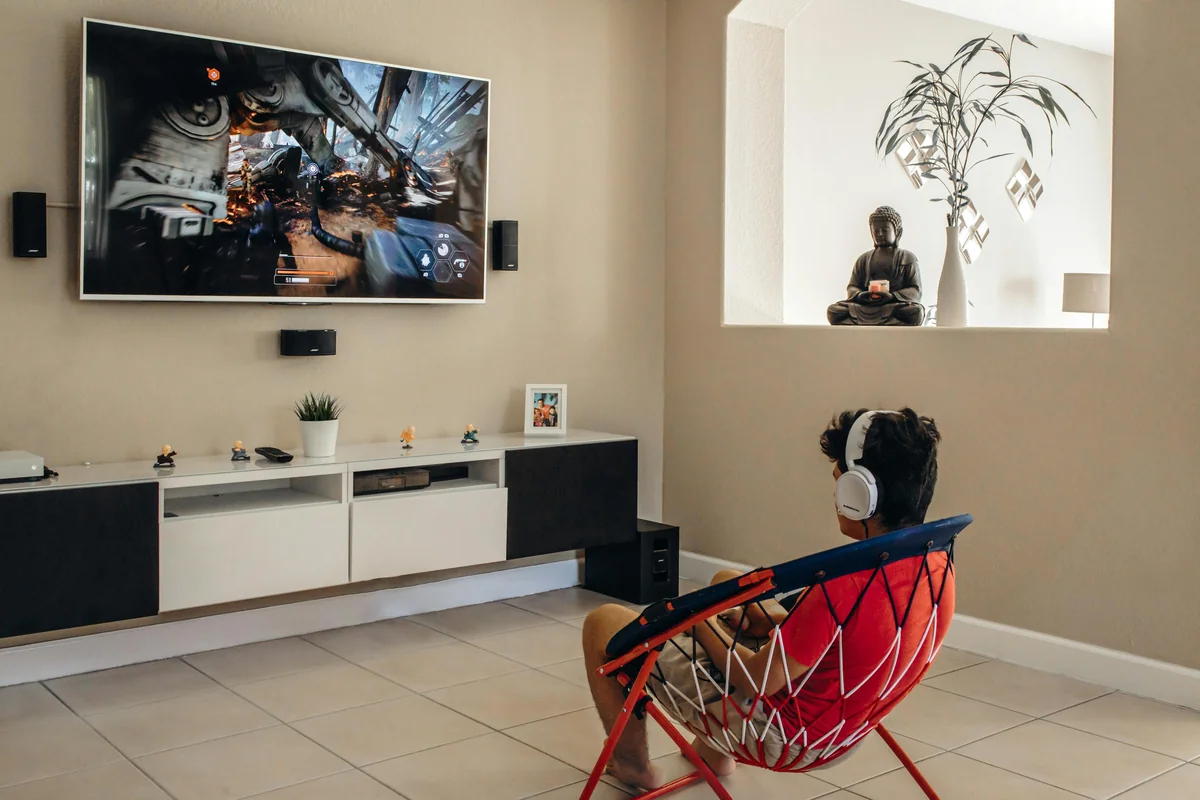
Cloud sync is IPTV One's strongest differentiator — and the feature that matters most in a multi-device household.
Here is what syncs automatically across all devices the moment you log in:
- Playlists: Import your M3U or Xtream Codes source once. Every device sees the same channels.
- Favorites: Star a channel on the Fire TV Stick. It appears in favorites on the iPad instantly.
- Watch history: Start a movie on a tablet. The playback position is saved. Resume on the living room TV from exactly where you left off.
- Custom groups: Set up your "Kids" channel group on one device. It propagates everywhere.
- Settings: Playback preferences, EPG configuration, and interface settings follow the account.
No other IPTV player currently offers this level of cross-platform sync. TiviMate's backup feature is device-local on Android only. GSE Smart IPTV syncs across Apple devices but cannot reach Android or Windows. IPTV One is the only solution that connects every screen in a mixed-device household.
According to a 2025 Parks Associates report, 58% of multi-TV households say the biggest streaming frustration is having to reconfigure apps on every new device. Cloud sync solves this entirely.
Managing Multiple Devices for Different Family Members
Families rarely watch the same thing on the same device. The living room TV shows the evening news. The kids' tablet runs cartoons. A parent's phone streams a sports match during the school run. Managing all of this from a single IPTV account requires the right tools.
One Account, Every Screen
IPTV One's account model supports the entire household. One premium subscription unlocks the full feature set on all 8 platforms simultaneously. There is no per-device charge and no limit to how many platforms you install it on.
For Android TV and Fire TV — common choices for living room setups — installation takes under two minutes via the Downloader app using code 1411180. The playlist and favorites imported on any other device appear automatically on screen.
Dedicated Favorites Per Device Context
While all devices share the same cloud data, each device can display a different favorites list based on how it is typically used. The living room TV can prioritize sports and news channels at the top. The tablet can show the kids' group by default. IPTV One's flexible organization accommodates every family viewing pattern without requiring a separate account for each family member.
Casting to Any Screen
When a family member wants to move their viewing from a phone to the living room TV, IPTV One's Chromecast support handles the transition in one tap. No reconfiguration, no re-entering credentials — just cast and watch. This is particularly useful for households where the main TV is not a Smart TV but has a Chromecast dongle attached.
Top IPTV Players for Families Compared
The chart below compares the four most commonly recommended IPTV players against the criteria that matter for family use.
The second chart shows platform coverage per player — the single most important dimension for family households where devices span ecosystems.
TiviMate
TiviMate has an excellent EPG and polished interface on Android TV and Fire TV. For families, the limitation is clear: it is Android/Fire TV only. There is no iOS version, no macOS version, and no Windows version. A household with iPhones and iPads cannot use TiviMate on those devices at all. There is also no cross-platform cloud sync — backups are local and Android-only.
GSE Smart IPTV
GSE works well within the Apple ecosystem — iPhone, iPad, and Apple TV. It offers iCloud sync between Apple devices. The problem for mixed-device families is that it stops there. Android phones, Windows PCs, and Fire TV Sticks are unsupported. A family where one parent uses Android and another uses an iPhone cannot share a unified GSE setup.
IPTV Smarters
IPTV Smarters is available on Android, iOS, Windows, and some Smart TVs, giving it reasonable platform reach. However, it lacks cross-device cloud sync, its interface is notably more complex, and it does not support Apple TV or Linux. For families with younger children, the setup process is considerably less intuitive than IPTV One.
The Verdict
No competing player offers the combination of 8-platform support, true cross-platform cloud sync, a built-in EPG with metadata enrichment, and an interface accessible to all age groups. IPTV One is the only IPTV player built for the real multi-device reality of a modern family home.
Frequently Asked Questions
Can the whole family use the same IPTV One account on different devices?
Yes. One IPTV One account works across all 8 supported platforms simultaneously. Each family member can watch on their own device — Android phone, tablet, Fire TV Stick, Apple TV, Windows PC — while favorites and playlists sync via cloud. There is no limit on the number of devices per account.
Does IPTV One work on the living room TV and kids' tablets at the same time?
Absolutely. IPTV One runs on Android TV and Fire TV for the living room, iOS and Android for tablets, and Windows or macOS for laptops. One subscription covers every device in the household. Install it via Downloader code 1411180 for Fire TV, and via Google Play or the App Store for mobile devices.
Is there an EPG so kids can find their favorite programs?
Yes. IPTV One includes a built-in EPG with multi-day program listings, automatic channel matching, and TMDb metadata enrichment. Browsing what's on is as simple as using a standard cable TV guide — children can see show titles, descriptions, and start times without any technical knowledge.
Can I organize channels so kids only see their content?
Yes. IPTV One lets you create custom channel groups, hide channels from the main view, and set up dedicated favorites lists. Create a "Kids" group containing only age-appropriate channels. That group becomes the default view on the kids' tablet, with everything else a few taps away for adults.
Does IPTV One work on Apple TV and Android TV at the same time?
Yes. IPTV One is available on both Apple TV (via the App Store) and Android TV/Fire TV (via Downloader code 1411180 or the direct APK). Your cloud-synced favorites and playlists appear on both devices automatically, with no manual reconfiguration required.
Conclusion
Finding the best IPTV player for families is about more than finding a good player for one device. It means finding one that works on every screen in the house, keeps everyone's setup synchronized, and stays accessible for viewers of all ages and technical levels.
IPTV One is available on 8 platforms with real-time cloud sync, a full-featured EPG, custom channel groups, Picture-in-Picture, and an interface that works equally well on a 65-inch TV and a seven-inch tablet. It is free to start and covers every device in your household under a single premium subscription.
Download IPTV One for your family today and set up the whole household in minutes.
IPTV One is a media player application. It does not provide, host, or distribute any TV channels or content. Users connect their own IPTV sources.
Ready to try the best IPTV player?
Download IPTV One free on your preferred platform. 4K HDR, cloud sync, and multi-device support.
IPTV One is a media player application. It does not provide, host, or distribute any TV content. Users are responsible for their own content sources.