IPTV VOD Guide: How to Watch Movies and Series in 2026

IPTV VOD Guide: How to Watch Movies and Series in 2026
Global video on demand consumption surpassed 900 billion hours in 2024, and a growing share of that is delivered through IPTV. Yet most IPTV guides focus entirely on live TV, leaving VOD almost unexplained. That's a mistake. A well-configured IPTV VOD setup gives you instant access to thousands of movies and full series, organized with the same metadata quality you'd expect from Netflix.
This guide covers everything about IPTV VOD: what it is, how it differs from live TV, how providers package it, and how IPTV One turns a raw playlist into a polished on-demand experience. Whether you're new to IPTV or just looking to get more out of your existing setup, this is the guide you need.
Important disclaimer: IPTV One is a media player application. It does not provide, host, or distribute any VOD content or TV channels. All content is sourced from your own IPTV subscription. Always ensure your IPTV source is legitimate and compliant with local regulations.
Key Takeaways
- IPTV VOD is a library of movies and series delivered on-demand through your IPTV provider's playlist, separate from live TV channels
- Most providers bundle VOD inside the same M3U or Xtream Codes playlist, and a good player like IPTV One separates and organizes it automatically
- IPTV One enriches your VOD library with TMDb metadata (posters, descriptions, cast, ratings) without any manual setup
- The app supports 4K HDR, Dolby Vision, and external subtitles for VOD playback
- IPTV One is a player only; it provides no content and does not host any streams
What Is IPTV VOD and How Does It Work?
VOD (Video on Demand) is exactly what the name suggests: content you watch when you want it, not when it's broadcast. In the IPTV context, VOD is a catalog of movies and TV series your IPTV provider makes available alongside their live channels.
Technically, VOD streams over IP just like live TV, but with one key difference: instead of tuning into a live feed, you request a specific file from the provider's server. The file is delivered to your player on demand, which is why you can pause, rewind, and restart freely.
According to a 2025 report by Digital TV Research, IPTV subscriptions that include a VOD catalog have a 34% higher retention rate than live-only subscriptions. It's a feature that users actively value.
Most IPTV providers deliver VOD in two ways:
- M3U playlists with VOD entries: Your
.m3ufile contains both live channel lines and VOD entries, typically prefixed with#EXTINFtags that include group information likegroup-title="VOD Movies"orgroup-title="Series" - Xtream Codes API: A structured protocol that separates live TV, VOD movies, and series into distinct API endpoints, enabling richer metadata and series navigation
When you import either format into IPTV One, the player parses the content, identifies VOD entries, and builds a dedicated library. Completely automatically. No manual tagging, no configuration files.
guide to importing M3U playlists into IPTV One
Live TV vs VOD in IPTV: What's the Difference?
Understanding the distinction between live TV and VOD helps you get the most out of your IPTV setup.
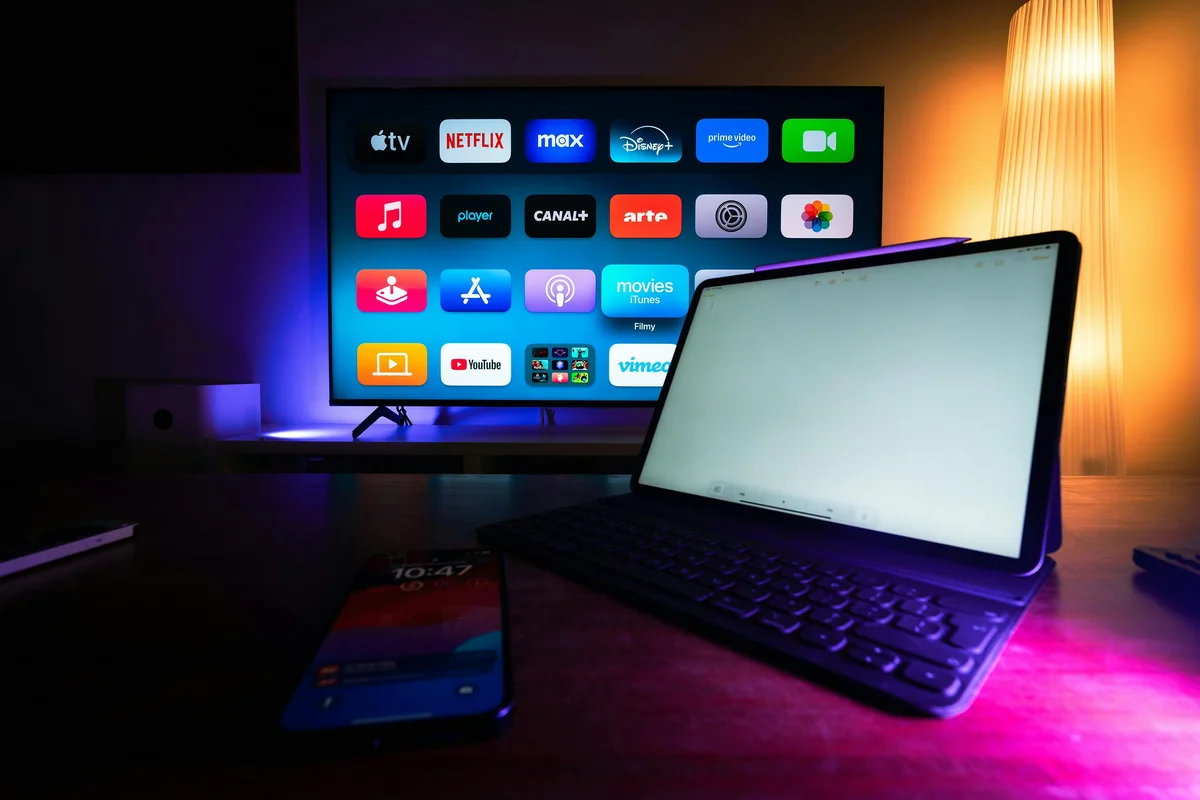
Live TV in IPTV replicates traditional broadcast television. Channels stream in real time, which means everyone watching a given channel sees the same content at the same moment. You can't rewind (unless your provider offers catch-up/replay). EPG (Electronic Program Guide) data tells you what's on now and what's coming up.
VOD, by contrast, has no schedule. The content sits on your provider's server, and you initiate playback whenever you choose. The server streams the file to your device as you watch it.
Here are the practical differences that matter day-to-day:
| Feature | Live TV | VOD |
|---|---|---|
| Watch when you want | No (real-time) | Yes (anytime) |
| Pause / rewind | Only with catch-up support | Always |
| EPG guide | Yes | No (uses metadata) |
| Buffering behavior | Continuous stream | Seek-based buffering |
| Content type | Channels, sports, news | Movies, full series |
| Metadata source | EPG XML data | TMDb / IMDb |
In a typical IPTV M3U playlist, live channels and VOD entries are mixed together. Without a smart player, navigating this is chaotic. IPTV One sorts them into separate sections automatically, so you never have to scroll past 400 live channels to find your movie.
According to Conviva's 2025 State of Streaming report, viewers who watch both live and on-demand content spend an average of 3.4 hours per day streaming, versus 1.8 hours for live-only viewers. Having a great VOD experience doubles engagement.
beginner's guide to setting up IPTV from scratch
How IPTV One Organizes Your VOD Library
Raw VOD in an M3U file is just a list of URLs with text labels. Turning that into a usable library requires real work. IPTV One handles this automatically, and the result is an experience that's far closer to Netflix than a basic media player.
Automatic Category Detection
When IPTV One parses your playlist, it reads the group-title metadata from each VOD entry. Entries tagged as movies go into the Movies section. Entries tagged as series are grouped by show title, then organized into seasons and episodes. You end up with a clean two-tab VOD library: Films and Series.
For Xtream Codes playlists, the separation is even cleaner. The API exposes separate VOD and Series endpoints, which IPTV One queries to build richer category trees. Providers often include dozens of genre categories (Action, Drama, Documentary, etc.) and IPTV One preserves this hierarchy.
TMDb Metadata Enrichment
This is where IPTV One stands apart. Once VOD entries are identified, the app queries TMDb (The Movie Database) to fetch:
- Movie and show posters (high-resolution cover art)
- Descriptions and synopses
- Cast and crew information
- Release year and runtime
- Genre tags
- User ratings
The result is a VOD library that looks polished even if your provider's playlist has minimal metadata. A bare URL like http://provider.com/movie/12345.mkv becomes a full movie card with artwork and description. No configuration needed on your part.
This matters more than it might seem. Research from Netflix's internal UX team, published in a 2016 study and widely cited since, found that high-quality cover art increases title engagement by up to 82%. Visual browsing is how people discover content. IPTV One applies this principle to your IPTV VOD library.
Watch History and Resume Playback
IPTV One tracks what you've watched and where you stopped. Start a movie, close the app, come back tomorrow, and it picks up exactly where you left off. Watch history syncs across all your devices through cloud sync, which means you can start a film on your phone and finish it on your TV.
full list of IPTV One features including VOD and cloud sync
How to Browse and Watch VOD in IPTV One
The browsing experience in IPTV One is built around speed and visual clarity. Here's how it works in practice.

Navigating the VOD Library
After importing your playlist, open the VOD section from the main navigation. You'll see two primary tabs:
- Movies: All VOD movies from your playlist, displayed as a grid of poster art. Filter by genre, sort by title or release year, or search by name.
- Series: TV series grouped by show. Tap a series to see season and episode lists, with episode descriptions loaded from TMDb.
The grid layout uses TMDb artwork, which makes browsing genuinely pleasant. Scroll through genres, tap a title, read the synopsis, check the rating, and hit play. The flow is familiar to anyone who's used a modern streaming service.
Search
IPTV One includes full-text search across your VOD library. Type a title, an actor's name, or a genre keyword and the results populate instantly. This is particularly useful when your IPTV provider has a large catalog with hundreds or thousands of titles.
Series Navigation
Series support deserves special mention. IPTV One builds proper season and episode navigation even from M3U playlists, provided the entries follow standard naming conventions. For Xtream Codes, the structured API delivers season/episode data directly, and IPTV One displays it cleanly with episode titles and descriptions.
Missed an episode? The watch history indicator shows which episodes you've seen, so you always know where you are in a series.
IPTV VOD Quality: 4K, HDR, and Subtitles
Playback quality for VOD depends on two factors: what the source provides, and what your player can handle. IPTV One is built to handle the best quality your source offers.
4K and HDR Support
IPTV One supports 4K resolution, HDR10, HDR10+, and Dolby Vision for VOD content. When your IPTV provider streams a 4K HDR movie, IPTV One passes the full quality to your display with hardware-accelerated decoding.
Hardware acceleration is important here. Software decoding a 4K HEVC stream is CPU-intensive and leads to dropped frames on most devices. IPTV One uses the device's hardware decoder natively, which means smooth 4K playback on Fire TV Stick 4K, Apple TV 4K, modern Android TV boxes, and computers with dedicated GPUs.
According to Ericsson's 2025 Mobility Report, 4K streaming now accounts for 28% of total video traffic on fixed broadband connections, up from 11% in 2022. More providers are adding 4K VOD catalogs to meet this demand. IPTV One is already ready for it.
Subtitle Support
VOD content often requires subtitles, especially for foreign-language films or for viewers who prefer them. IPTV One handles subtitles comprehensively:
- Embedded subtitle tracks: Subtitles included inside the video stream are detected and available in the playback menu
- External subtitle files: Load
.srt,.ass, or.vttsubtitle files manually for any VOD title - Subtitle customization: Adjust font size, color, background opacity, and vertical position
This level of subtitle support is essential for international content. Many VOD libraries include movies in multiple languages, and having fine-grained control over subtitle display makes a real difference to the viewing experience.
Codec Support
IPTV One's playback engine supports the full range of codecs used in modern IPTV VOD streams:
- Video: H.264, H.265/HEVC, VP9, AV1
- Audio: AAC, AC3 (Dolby Digital), E-AC3 (Dolby Digital Plus), DTS
- Containers: MKV, MP4, TS, M2TS
This breadth of format support means you're not limited by what codec your provider uses. IPTV One handles it.
VOD Feature Comparison: IPTV Players
The chart below compares key VOD features across major IPTV players. IPTV One is the only player to combine all five capabilities.
Only IPTV One delivers the full stack: TMDb metadata enrichment, proper series navigation, 4K HDR playback, subtitle customization, cloud-synced watch history, and multi-platform support. Across Android, Android TV, Fire TV, iOS, macOS, Windows, Linux, and Apple TV, the VOD experience is identical.
Streaming Quality Tiers for IPTV VOD
Different IPTV providers offer VOD at different quality levels. Here's how IPTV One handles each tier.
Akamai's 2025 State of the Internet report notes that average global broadband speeds reached 82 Mbps in Q1 2025, comfortably above the 40 Mbps needed for 4K HDR streaming. Most users today have the bandwidth for the best quality their provider offers.
FAQ
What is IPTV VOD?
IPTV VOD (Video on Demand) is an on-demand library of movies and series delivered through your IPTV subscription. Unlike live TV channels, VOD content can be watched at any time, paused, rewound, and replayed. Most IPTV providers include a VOD section alongside their live channels, accessible through a compatible IPTV player like IPTV One.
How do I access VOD in IPTV One?
When you import your M3U or Xtream Codes playlist into IPTV One, the app automatically detects and separates the VOD section from live channels. You'll find Movies and Series tabs in the dedicated VOD section, with TMDb metadata loaded automatically for posters and descriptions.
Does IPTV One support subtitles for VOD content?
Yes. IPTV One supports external subtitle tracks for VOD content, including SRT and embedded streams. You can customize font size, color, background opacity, and vertical position directly in the player settings.
Can I watch IPTV VOD in 4K HDR?
Yes. IPTV One supports 4K HDR and Dolby Vision playback for VOD when the source stream provides that quality. Hardware-accelerated decoding ensures smooth playback without buffering on compatible devices, including Fire TV Stick 4K, Apple TV 4K, and modern Android TV boxes.
Does IPTV One provide VOD movies and series?
No. IPTV One is a media player application. It does not provide, host, or distribute any VOD content. The movies and series you see come entirely from your own IPTV subscription and playlist. IPTV One organizes and plays that content, but the content itself comes from your source.
Conclusion
IPTV VOD is one of the most powerful and underused features of an IPTV setup. A raw playlist with thousands of VOD entries is unwieldy on its own. With IPTV One, that same playlist becomes a structured, visually rich library with TMDb artwork, series navigation, resume playback, 4K HDR support, and subtitle customization.
The difference between a basic IPTV player and IPTV One for VOD is the difference between a folder of video files and a proper streaming service interface. Same content, completely different experience.
complete guide to choosing the best IPTV player
If you're ready to get the most out of your IPTV VOD library, download IPTV One for free today. Available on every platform you already use.
Download IPTV One:
- Get IPTV One for Android on Google Play
- Get IPTV One for iPhone and iPad on the App Store
- Get IPTV One for Mac and Apple TV on the App Store
- Download IPTV One for Windows from the Microsoft Store
- Get IPTV One for Linux from the Snap Store
- Install IPTV One on Fire TV or Android TV via Downloader code 1411180
Legal disclaimer: IPTV One is a media player application. It does not provide, host, or distribute any TV channels, movies, or series. All content is sourced exclusively from playlists and IPTV subscriptions that users bring themselves. Always verify that your IPTV source is legitimate and compliant with the laws of your country.
Ready to try the best IPTV player?
Download IPTV One free on your preferred platform. 4K HDR, cloud sync, and multi-device support.
IPTV One is a media player application. It does not provide, host, or distribute any TV content. Users are responsible for their own content sources.