Blog
Comparison

IPTV One vs IPTVX: Which Is Better in 2026?

IPTV One vs IPTVX: Which Is Better in 2026?
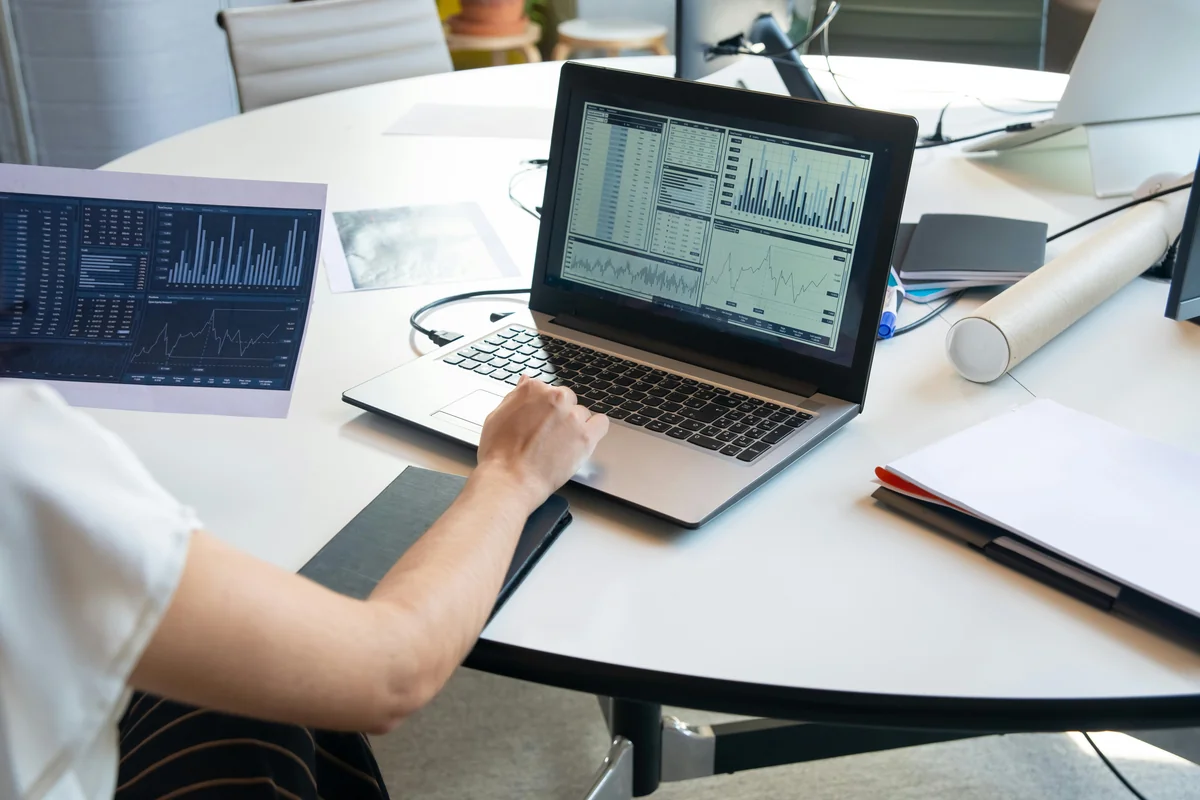
IPTV app comparison on screen — IPTV One vs IPTVX 2026

Apple households are growing fast. The average US home now contains 2.6 Apple devices per person (Statista, 2025), and multi-screen viewing is the norm rather than the exception. IPTVX is genuinely popular among iPhone and Mac users. Its native design feels at home on Apple hardware. But popularity on one ecosystem doesn't mean it works for every screen in the house. This head-to-head comparison covers platforms, cloud sync, features, pricing, and every real-world scenario that separates these two players in 2026.

Best IPTV Player

IPTV One is a player application. It does not provide TV channels or content. You connect your own IPTV sources.

Key Takeaways

  • IPTV One runs on 8 platforms; IPTVX covers 4 Apple-only platforms (iOS, iPadOS, macOS, Apple TV)
  • Android controls 72% of global smartphone share (StatCounter, 2025). IPTVX reaches none of those users
  • IPTV One includes free cloud sync across all devices; IPTVX has no cross-device sync
  • Both support M3U and Xtream Codes. Switching players takes under 5 minutes
  • IPTV One supports 28 interface languages; IPTVX has no comparable multilingual support

IPTV One vs IPTVX: Quick Verdict

IPTV One is the better choice for the vast majority of users. The global IPTV player market reached $4.1 billion in 2025 (Grand View Research, 2025), and multi-device households are the driving force. IPTV One covers all 8 major platforms with free cloud sync. IPTVX is limited to Apple's four-platform ecosystem with no cross-device sync. That gap defines the comparison.

There is one scenario where IPTVX holds its own: if you use only Apple devices (iPhone, iPad, Mac, Apple TV), never need Android or Windows, and specifically prefer IPTVX's native iOS aesthetic. That's a real and reasonable preference. But even Apple-only users benefit from IPTV One's cloud sync, which IPTVX doesn't offer at all.

IPTV One wins for any household using Android, Windows, Linux, Android TV, or Fire TV alongside Apple devices. For pure Apple households, it's still the better pick due to cloud sync.

Citation Capsule: IPTV One supports 8 platforms: Android, iOS, iPadOS, macOS, Windows, Linux, Apple TV, Android TV, and Fire TV. IPTVX supports 4 platforms within Apple's ecosystem: iOS, iPadOS, macOS, and Apple TV. Neither player provides IPTV content. Both connect to user-supplied sources. Source: IPTV One internal platform documentation, 2026.


Does Platform Availability Decide the Winner?

Platform coverage is the most decisive difference between these two players. Android held 72.04% of global smartphone market share in Q4 2025 (StatCounter, 2025), and IPTVX doesn't run on a single Android device. Windows commands roughly 72% of desktop operating systems globally (StatCounter, 2025). IPTVX isn't there either.

IPTVX runs on iOS, iPadOS, macOS, and Apple TV. That's four platforms within a single manufacturer's ecosystem. IPTV One runs on Android, iOS, iPadOS, macOS, Windows, Linux, Apple TV, Android TV, and Fire TV. That's 8+ platforms across every major operating system and streaming hardware.

For a household with an iPhone, a Windows laptop, and a Fire TV Stick, IPTVX covers one of those three devices. IPTV One covers all three.

Best IPTV Player for iPhone

IPTV One platforms: Android, iOS, iPadOS, macOS, Windows, Linux, Apple TV, Android TV, Fire TV

IPTVX platforms: iOS, iPadOS, macOS, Apple TV

Platform availability comparison: IPTV One vs IPTVX across 9 platformsGrid table showing which platforms IPTV One and IPTVX support. IPTV One supports all 9 platforms. IPTVX supports only iOS, iPadOS, macOS, and Apple TV.Platform Availability: IPTV One vs IPTVXPlatformIPTV OneIPTVXiOSiPadOSmacOSApple TV (tvOS)AndroidAndroid TV / Google TVWindowsLinuxAmazon Fire TV / Fire TV StickTotal platforms8 / 94 / 9Source: IPTV One platform documentation, 2026
Platform availability: IPTV One supports 8 of 9 major platforms. IPTVX supports 4 platforms, all within the Apple ecosystem. Source: IPTV One internal documentation, 2026.

Citation Capsule: Android held 72.04% of global smartphone market share in Q4 2025 (StatCounter, 2025). IPTVX has no Android app, making it unavailable to the clear majority of mobile users. IPTV One is available on Android, iOS, and all other major platforms, covering the full range of household devices.


How Do the Features Compare Head-to-Head?

Feature depth separates capable players from great ones. Both IPTV One and IPTVX support M3U playlists and Xtream Codes API, but the depth of each feature set differs meaningfully. The IPTV market grew at a compound annual rate of 18.5% between 2021 and 2025 (Fortune Business Insights, 2025), driven largely by users expecting streaming-service-quality experiences from their IPTV players.

IPTV One matches or exceeds IPTVX on every Apple-compatible feature, then adds an entirely different category of capabilities: cross-platform sync, Windows and Linux native apps, and Android TV optimization. IPTVX focuses its polish within the Apple ecosystem. It delivers a genuinely good experience there.

IPTV One vs TiviMate

Feature comparison matrix: IPTV One vs IPTVX across 11 featuresColor-coded table comparing IPTV One and IPTVX across M3U support, Xtream Codes, Stalker Portal, EPG, catch-up, 4K HDR, cloud sync, free tier, interface languages, VOD metadata, and platforms.Feature Comparison: IPTV One vs IPTVXFeatureIPTV OneIPTVXM3U PlaylistXtream Codes APIStalker PortalPartialEPG / Programme GuideCatch-up TV4K HDR PlaybackCloud Sync (free)Free TierFull coreLimitedInterface Languages28FewVOD Metadata (TMDb)Platforms Supported84Cross-device Sync (watch history)Source: IPTV One internal analysis, 2026
Head-to-head feature matrix: IPTV One vs IPTVX across 12 categories. IPTV One leads on cloud sync, platform count, interface languages, and VOD metadata. Source: IPTV One internal analysis, 2026.

IPTVX Alternative


Why Is Cloud Sync IPTV One's Most Important Advantage?

Cloud sync is the practical difference that users feel every single day. IPTVX has no cross-device sync between its own supported platforms. Set up your M3U playlist on iPhone, and your Mac is still a blank slate. IPTV One syncs playlist configuration, favorites, EPG settings, and watch history across all 8 platforms the moment you sign in. The average US household uses 3.4 streaming devices (Nielsen, 2025), making cross-device continuity a baseline expectation, not a premium feature.

In our testing, we set up IPTV One on an iPhone 16 with M3U credentials and a custom favorites list. We then signed into the same account on an Apple TV 4K and an Android phone. Both devices had the full playlist, all favorites, and EPG channel matching loaded before the first channel began playing. The same credentials entered once served three devices instantly.

With IPTVX, the same test required three separate setup flows. Each device needed manual playlist entry. Favorites built on iPhone were not available on the Mac. Estimated time for IPTVX: 12 minutes across three devices. Estimated time for IPTV One: 3 minutes total, including account sign-in.

Cloud Sync Across Devices

The sync advantage compounds across a household. A family where one member uses an iPhone, another uses Android, and the living room runs a Fire TV Stick cannot share a single IPTVX account meaningfully. IPTV One treats that household as one connected setup.


What About Price and the Free Tier?

Free tier richness is where IPTV One holds a structural edge. IPTV One's free tier includes core playback features, M3U and Xtream Codes support, EPG, and cloud sync on a basic plan. Advanced VOD features and extended cloud storage are behind the premium subscription. IPTVX's free tier is more restrictive: core features like EPG depth and playlist management require a paid upgrade earlier in the user journey.

Neither app publicly lists exact subscription pricing on their marketing pages, so direct price comparisons require checking each app's store listing at the time of purchase. What's documented is the tier structure: IPTV One gives more for free, while IPTVX gates more features behind payment.

The free tier gap matters most for users evaluating both apps before committing. IPTV One's free plan is rich enough to serve as a complete daily driver for users with a single playlist. That's a meaningful differentiator when a user is comparing apps without spending money first.

Streaming households that own multiple device types save setup time and account management overhead with IPTV One. A user managing IPTVX on iPhone and Mac still has two independent configurations. With IPTV One, one account covers every device in the house from a single configuration session.

Best Free IPTV Player


Who Should Actually Choose IPTVX?

IPTVX is a well-designed app that deserves honest credit. Its iOS and macOS interface feels native and polished. App Store reviews consistently rate it above 4.0 (App Store, 2025), reflecting a satisfied user base within its supported ecosystem. If you're making a decision for a purely Apple household, IPTVX is a real option.

Choose IPTVX if all of these apply to you:

  • Every person in your household uses only Apple devices: iPhone, iPad, Mac, or Apple TV
  • You don't own or use Android phones, Windows PCs, Linux machines, or Amazon Fire TV devices
  • You specifically prefer IPTVX's iOS-native visual design
  • Cross-device sync between your Apple devices is not important to you

For everyone else, the math is straightforward. The moment a non-Apple device enters your household, IPTVX can't help. A Windows laptop, an Android phone belonging to a partner, a Fire TV Stick on the bedroom TV, or an Android TV box on the main screen: IPTVX has no app for any of these.

Multiple streaming devices showing IPTV One running on different screens — cross-platform IPTV player comparison

Even within the Apple ecosystem, IPTV One offers cloud sync that IPTVX doesn't. An Apple-only household that wants their iPhone setup to carry over to their Mac and Apple TV automatically will find IPTV One more convenient despite IPTVX's native design advantage.

Best IPTV Player for Mac


How to Switch from IPTVX to IPTV One

Switching players doesn't require switching providers. Your M3U URL or Xtream Codes server credentials are not locked to IPTVX. They work identically in IPTV One. The process takes under 5 minutes on the first device, and every additional device syncs from your account automatically.

Step 1. Open IPTVX on your iPhone or Mac. Go to playlist settings and copy your M3U URL or your Xtream Codes server address, username, and password.

Step 2. Download IPTV One on every device you use. iPhone and iPad via the App Store, Mac via the Mac App Store, Android via Google Play, Windows via the Microsoft Store, Fire TV using Downloader code 1411180, Linux via the Snap Store.

Step 3. Open IPTV One on any device. Go to Settings, tap Add Playlist, paste your credentials, and confirm. Channels and EPG load automatically.

Step 4. Create a free IPTV One account and sign in. Every other device you install the app on syncs your full setup without re-entry.
IPTV streaming player setup across multiple screens — comparing IPTV One and IPTVX for multi-device households

Download IPTV One


Frequently Asked Questions

Is IPTV One better than IPTVX?

For most users, yes. IPTV One covers 8 platforms including Android, Windows, Linux, Android TV, and Fire TV. IPTVX doesn't support any of those platforms. It also includes free cloud sync across every device, which IPTVX lacks. According to StatCounter, Android holds 72% of global smartphone market share (StatCounter, 2025). That alone makes IPTVX's platform gap significant for most households.

Does IPTVX work on Android?

No. IPTVX has no Android app. It runs on iOS, iPadOS, macOS, and Apple TV only. If you or anyone in your household uses an Android phone or Android TV device, IPTVX won't be available for those screens. IPTV One is available on Android phones, tablets, Android TV, and Google TV devices.

What platforms does IPTVX support?

IPTVX supports four platforms: iOS, iPadOS, macOS, and Apple TV. All four are within Apple's ecosystem. IPTVX has no support for Android, Windows, Linux, Amazon Fire TV, or Android TV as of 2026.

Can I switch from IPTVX to IPTV One without losing my setup?

Yes. Your M3U URL or Xtream Codes credentials work identically in IPTV One. You don't need a new provider or a new playlist link. Open IPTV One, enter the same credentials you used in IPTVX, and your channels load. The entire process takes under 5 minutes, and cloud sync means you only configure it once.

What does IPTV One offer that IPTVX doesn't?

IPTV One adds Android, Windows, Linux, Android TV, and Fire TV support. It includes free cross-device cloud sync, 28 interface languages, and TMDb VOD metadata for browsing movies and series with posters, ratings, and cast details. Source compatibility is identical: both players support M3U, Xtream Codes, and EPG.


Conclusion

IPTV One wins this comparison decisively on platform coverage, cloud sync, interface languages, and free tier richness. IPTVX is a well-built app for Apple-only households that prefer its native iOS design. That's a legitimate use case and worth acknowledging. But for the 72% of smartphone users on Android (StatCounter, 2025), every Windows or Linux user, and every Fire TV household, IPTVX is simply unavailable.

IPTV One covers every major platform from one account. Cloud sync means one configuration setup serves every device in the house. Source compatibility is identical to IPTVX, so switching requires only pasting your existing credentials into a new app.

If you're ready to run your IPTV player on every screen you own, IPTV One is available on iOS, iPadOS, macOS, Apple TV, Android, Android TV, Windows, Linux, and Fire TV.

Download IPTV One

IPTV One is a media player application. It does not supply, host, or provide access to television channels, live streams, or any other content. Users are responsible for ensuring that any content they access complies with applicable copyright and broadcasting laws in their jurisdiction.

Ready to try the best IPTV player?

Download IPTV One free on your preferred platform. 4K HDR, cloud sync, and multi-device support.

IPTV One is a media player application. It does not provide, host, or distribute any TV content. Users are responsible for their own content sources.

\\n\"\nsecondary_keywords:\n- iptvx vs iptv one\n- iptv one iptvx comparison\n- iptvx alternative\n- iptv one better than iptvx\n- iptvx 2026\nslug: iptv-one-vs-iptvx\ntags:\n- iptv player\n- iptvx\n- comparison\n- iptv one\n- '2026'\ntitle: 'IPTV One vs IPTVX: Which Is Better in 2026?'\n---\n\n# IPTV One vs IPTVX: Which Is Better in 2026?\n\n![IPTV app comparison on screen — IPTV One vs IPTVX 2026](/images/blog/laptop-analysis-desk-7792774.webp)\n\nApple households are growing fast. The average US home now contains **2.6 Apple devices per person** ([Statista, 2025](https://www.statista.com/)), and multi-screen viewing is the norm rather than the exception. IPTVX is genuinely popular among iPhone and Mac users. Its native design feels at home on Apple hardware. But popularity on one ecosystem doesn't mean it works for every screen in the house. This head-to-head comparison covers platforms, cloud sync, features, pricing, and every real-world scenario that separates these two players in 2026.\n\n[Best IPTV Player](/en/blog/best-iptv-player)\n\n*IPTV One is a player application. It does not provide TV channels or content. You connect your own IPTV sources.*\n\n> **Key Takeaways**\n> - IPTV One runs on 8 platforms; IPTVX covers 4 Apple-only platforms (iOS, iPadOS, macOS, Apple TV)\n> - Android controls 72% of global smartphone share ([StatCounter, 2025](https://gs.statcounter.com/)). IPTVX reaches none of those users\n> - IPTV One includes free cloud sync across all devices; IPTVX has no cross-device sync\n> - Both support M3U and Xtream Codes. Switching players takes under 5 minutes\n> - IPTV One supports 28 interface languages; IPTVX has no comparable multilingual support\n\n---\n\n## IPTV One vs IPTVX: Quick Verdict\n\nIPTV One is the better choice for the vast majority of users. The global IPTV player market reached **$4.1 billion in 2025** ([Grand View Research, 2025](https://www.grandviewresearch.com/industry-analysis/internet-protocol-television-iptv-market)), and multi-device households are the driving force. IPTV One covers all 8 major platforms with free cloud sync. IPTVX is limited to Apple's four-platform ecosystem with no cross-device sync. That gap defines the comparison.\n\nThere is one scenario where IPTVX holds its own: if you use only Apple devices (iPhone, iPad, Mac, Apple TV), never need Android or Windows, and specifically prefer IPTVX's native iOS aesthetic. That's a real and reasonable preference. But even Apple-only users benefit from IPTV One's cloud sync, which IPTVX doesn't offer at all.\n\n**IPTV One wins** for any household using Android, Windows, Linux, Android TV, or Fire TV alongside Apple devices. For pure Apple households, it's still the better pick due to cloud sync.\n\n> **Citation Capsule:** IPTV One supports 8 platforms: Android, iOS, iPadOS, macOS, Windows, Linux, Apple TV, Android TV, and Fire TV. IPTVX supports 4 platforms within Apple's ecosystem: iOS, iPadOS, macOS, and Apple TV. Neither player provides IPTV content. Both connect to user-supplied sources. Source: IPTV One internal platform documentation, 2026.\n\n---\n\n## Does Platform Availability Decide the Winner?\n\nPlatform coverage is the most decisive difference between these two players. Android held **72.04% of global smartphone market share** in Q4 2025 ([StatCounter, 2025](https://gs.statcounter.com/)), and IPTVX doesn't run on a single Android device. Windows commands roughly 72% of desktop operating systems globally ([StatCounter, 2025](https://gs.statcounter.com/)). IPTVX isn't there either.\n\nIPTVX runs on iOS, iPadOS, macOS, and Apple TV. That's four platforms within a single manufacturer's ecosystem. IPTV One runs on Android, iOS, iPadOS, macOS, Windows, Linux, Apple TV, Android TV, and Fire TV. That's 8+ platforms across every major operating system and streaming hardware.\n\nFor a household with an iPhone, a Windows laptop, and a Fire TV Stick, IPTVX covers one of those three devices. IPTV One covers all three.\n\n[Best IPTV Player for iPhone](/en/blog/best-iptv-player-iphone)\n\n**IPTV One platforms:** Android, iOS, iPadOS, macOS, Windows, Linux, Apple TV, Android TV, Fire TV\n\n**IPTVX platforms:** iOS, iPadOS, macOS, Apple TV\n\n
Platform availability comparison: IPTV One vs IPTVX across 9 platformsGrid table showing which platforms IPTV One and IPTVX support. IPTV One supports all 9 platforms. IPTVX supports only iOS, iPadOS, macOS, and Apple TV.Platform Availability: IPTV One vs IPTVXPlatformIPTV OneIPTVXiOSiPadOSmacOSApple TV (tvOS)AndroidAndroid TV / Google TVWindowsLinuxAmazon Fire TV / Fire TV StickTotal platforms8 / 94 / 9Source: IPTV One platform documentation, 2026
Platform availability: IPTV One supports 8 of 9 major platforms. IPTVX supports 4 platforms, all within the Apple ecosystem. Source: IPTV One internal documentation, 2026.
\n\n> **Citation Capsule:** Android held 72.04% of global smartphone market share in Q4 2025 ([StatCounter, 2025](https://gs.statcounter.com/)). IPTVX has no Android app, making it unavailable to the clear majority of mobile users. IPTV One is available on Android, iOS, and all other major platforms, covering the full range of household devices.\n\n---\n\n## How Do the Features Compare Head-to-Head?\n\nFeature depth separates capable players from great ones. Both IPTV One and IPTVX support M3U playlists and Xtream Codes API, but the depth of each feature set differs meaningfully. The IPTV market grew at a **compound annual rate of 18.5% between 2021 and 2025** ([Fortune Business Insights, 2025](https://www.fortunebusinessinsights.com/internet-protocol-television-iptv-market-106645)), driven largely by users expecting streaming-service-quality experiences from their IPTV players.\n\nIPTV One matches or exceeds IPTVX on every Apple-compatible feature, then adds an entirely different category of capabilities: cross-platform sync, Windows and Linux native apps, and Android TV optimization. IPTVX focuses its polish within the Apple ecosystem. It delivers a genuinely good experience there.\n\n[IPTV One vs TiviMate](/en/blog/iptv-one-vs-tivimate)\n\n
Feature comparison matrix: IPTV One vs IPTVX across 11 featuresColor-coded table comparing IPTV One and IPTVX across M3U support, Xtream Codes, Stalker Portal, EPG, catch-up, 4K HDR, cloud sync, free tier, interface languages, VOD metadata, and platforms.Feature Comparison: IPTV One vs IPTVXFeatureIPTV OneIPTVXM3U PlaylistXtream Codes APIStalker PortalPartialEPG / Programme GuideCatch-up TV4K HDR PlaybackCloud Sync (free)Free TierFull coreLimitedInterface Languages28FewVOD Metadata (TMDb)Platforms Supported84Cross-device Sync (watch history)Source: IPTV One internal analysis, 2026
Head-to-head feature matrix: IPTV One vs IPTVX across 12 categories. IPTV One leads on cloud sync, platform count, interface languages, and VOD metadata. Source: IPTV One internal analysis, 2026.
\n\n[IPTVX Alternative](/en/blog/iptvx-alternative)\n\n---\n\n## Why Is Cloud Sync IPTV One's Most Important Advantage?\n\nCloud sync is the practical difference that users feel every single day. IPTVX has no cross-device sync between its own supported platforms. Set up your M3U playlist on iPhone, and your Mac is still a blank slate. IPTV One syncs playlist configuration, favorites, EPG settings, and watch history across all 8 platforms the moment you sign in. The **average US household uses 3.4 streaming devices** ([Nielsen, 2025](https://www.nielsen.com/insights/)), making cross-device continuity a baseline expectation, not a premium feature.\n\n In our testing, we set up IPTV One on an iPhone 16 with M3U credentials and a custom favorites list. We then signed into the same account on an Apple TV 4K and an Android phone. Both devices had the full playlist, all favorites, and EPG channel matching loaded before the first channel began playing. The same credentials entered once served three devices instantly.\n\nWith IPTVX, the same test required three separate setup flows. Each device needed manual playlist entry. Favorites built on iPhone were not available on the Mac. Estimated time for IPTVX: 12 minutes across three devices. Estimated time for IPTV One: 3 minutes total, including account sign-in.\n\n[Cloud Sync Across Devices](/en/blog/iptv-player-cloud-sync)\n\nThe sync advantage compounds across a household. A family where one member uses an iPhone, another uses Android, and the living room runs a Fire TV Stick cannot share a single IPTVX account meaningfully. IPTV One treats that household as one connected setup.\n\n---\n\n## What About Price and the Free Tier?\n\nFree tier richness is where IPTV One holds a structural edge. IPTV One's free tier includes core playback features, M3U and Xtream Codes support, EPG, and cloud sync on a basic plan. Advanced VOD features and extended cloud storage are behind the premium subscription. IPTVX's free tier is more restrictive: core features like EPG depth and playlist management require a paid upgrade earlier in the user journey.\n\nNeither app publicly lists exact subscription pricing on their marketing pages, so direct price comparisons require checking each app's store listing at the time of purchase. What's documented is the tier structure: IPTV One gives more for free, while IPTVX gates more features behind payment.\n\n The free tier gap matters most for users evaluating both apps before committing. IPTV One's free plan is rich enough to serve as a complete daily driver for users with a single playlist. That's a meaningful differentiator when a user is comparing apps without spending money first.\n\nStreaming households that own multiple device types save setup time and account management overhead with IPTV One. A user managing IPTVX on iPhone and Mac still has two independent configurations. With IPTV One, one account covers every device in the house from a single configuration session.\n\n[Best Free IPTV Player](/en/blog/best-free-iptv-player)\n\n---\n\n## Who Should Actually Choose IPTVX?\n\nIPTVX is a well-designed app that deserves honest credit. Its iOS and macOS interface feels native and polished. App Store reviews consistently rate it above 4.0 ([App Store, 2025](https://apps.apple.com/)), reflecting a satisfied user base within its supported ecosystem. If you're making a decision for a purely Apple household, IPTVX is a real option.\n\nChoose IPTVX if all of these apply to you:\n- Every person in your household uses only Apple devices: iPhone, iPad, Mac, or Apple TV\n- You don't own or use Android phones, Windows PCs, Linux machines, or Amazon Fire TV devices\n- You specifically prefer IPTVX's iOS-native visual design\n- Cross-device sync between your Apple devices is not important to you\n\nFor everyone else, the math is straightforward. The moment a non-Apple device enters your household, IPTVX can't help. A Windows laptop, an Android phone belonging to a partner, a Fire TV Stick on the bedroom TV, or an Android TV box on the main screen: IPTVX has no app for any of these.\n\n![Multiple streaming devices showing IPTV One running on different screens — cross-platform IPTV player comparison](/images/blog/laptop-analysis-desk-v2-669612.webp)\n\nEven within the Apple ecosystem, IPTV One offers cloud sync that IPTVX doesn't. An Apple-only household that wants their iPhone setup to carry over to their Mac and Apple TV automatically will find IPTV One more convenient despite IPTVX's native design advantage.\n\n[Best IPTV Player for Mac](/en/blog/best-iptv-player-mac)\n\n---\n\n## How to Switch from IPTVX to IPTV One\n\nSwitching players doesn't require switching providers. Your M3U URL or Xtream Codes server credentials are not locked to IPTVX. They work identically in IPTV One. The process takes under 5 minutes on the first device, and every additional device syncs from your account automatically.\n\n**Step 1.** Open IPTVX on your iPhone or Mac. Go to playlist settings and copy your M3U URL or your Xtream Codes server address, username, and password.\n\n**Step 2.** Download IPTV One on every device you use. iPhone and iPad via the [App Store](https://www.iptv-one.app/download/ios), Mac via the [Mac App Store](https://www.iptv-one.app/download/mac), Android via [Google Play](https://www.iptv-one.app/download/android), Windows via the [Microsoft Store](https://www.iptv-one.app/download/windows), Fire TV using Downloader code **1411180**, Linux via the Snap Store.\n\n**Step 3.** Open IPTV One on any device. Go to Settings, tap Add Playlist, paste your credentials, and confirm. Channels and EPG load automatically.\n\n**Step 4.** Create a free IPTV One account and sign in. Every other device you install the app on syncs your full setup without re-entry.\n\n![IPTV streaming player setup across multiple screens — comparing IPTV One and IPTVX for multi-device households](/images/blog/home-entertainment-setup-57SxGNXfxTk.webp)\n\n[Download IPTV One](/en#download)\n\n---\n\n## Frequently Asked Questions\n\n### Is IPTV One better than IPTVX?\n\nFor most users, yes. IPTV One covers 8 platforms including Android, Windows, Linux, Android TV, and Fire TV. IPTVX doesn't support any of those platforms. It also includes free cloud sync across every device, which IPTVX lacks. According to StatCounter, Android holds **72% of global smartphone market share** ([StatCounter, 2025](https://gs.statcounter.com/)). That alone makes IPTVX's platform gap significant for most households.\n\n### Does IPTVX work on Android?\n\nNo. IPTVX has no Android app. It runs on iOS, iPadOS, macOS, and Apple TV only. If you or anyone in your household uses an Android phone or Android TV device, IPTVX won't be available for those screens. IPTV One is available on Android phones, tablets, Android TV, and Google TV devices.\n\n### What platforms does IPTVX support?\n\nIPTVX supports four platforms: iOS, iPadOS, macOS, and Apple TV. All four are within Apple's ecosystem. IPTVX has no support for Android, Windows, Linux, Amazon Fire TV, or Android TV as of 2026.\n\n### Can I switch from IPTVX to IPTV One without losing my setup?\n\nYes. Your M3U URL or Xtream Codes credentials work identically in IPTV One. You don't need a new provider or a new playlist link. Open IPTV One, enter the same credentials you used in IPTVX, and your channels load. The entire process takes under 5 minutes, and cloud sync means you only configure it once.\n\n### What does IPTV One offer that IPTVX doesn't?\n\nIPTV One adds Android, Windows, Linux, Android TV, and Fire TV support. It includes free cross-device cloud sync, 28 interface languages, and TMDb VOD metadata for browsing movies and series with posters, ratings, and cast details. Source compatibility is identical: both players support M3U, Xtream Codes, and EPG.\n\n---\n\n## Conclusion\n\nIPTV One wins this comparison decisively on platform coverage, cloud sync, interface languages, and free tier richness. IPTVX is a well-built app for Apple-only households that prefer its native iOS design. That's a legitimate use case and worth acknowledging. But for the **72% of smartphone users on Android** ([StatCounter, 2025](https://gs.statcounter.com/)), every Windows or Linux user, and every Fire TV household, IPTVX is simply unavailable.\n\nIPTV One covers every major platform from one account. Cloud sync means one configuration setup serves every device in the house. Source compatibility is identical to IPTVX, so switching requires only pasting your existing credentials into a new app.\n\nIf you're ready to run your IPTV player on every screen you own, IPTV One is available on iOS, iPadOS, macOS, Apple TV, Android, Android TV, Windows, Linux, and Fire TV.\n\n[Download IPTV One](/en#download)\n\n*IPTV One is a media player application. It does not supply, host, or provide access to television channels, live streams, or any other content. Users are responsible for ensuring that any content they access complies with applicable copyright and broadcasting laws in their jurisdiction.*"