What Is IPTV? The Complete Beginner's Guide (2026)
What Is IPTV? The Complete Beginner's Guide (2026)
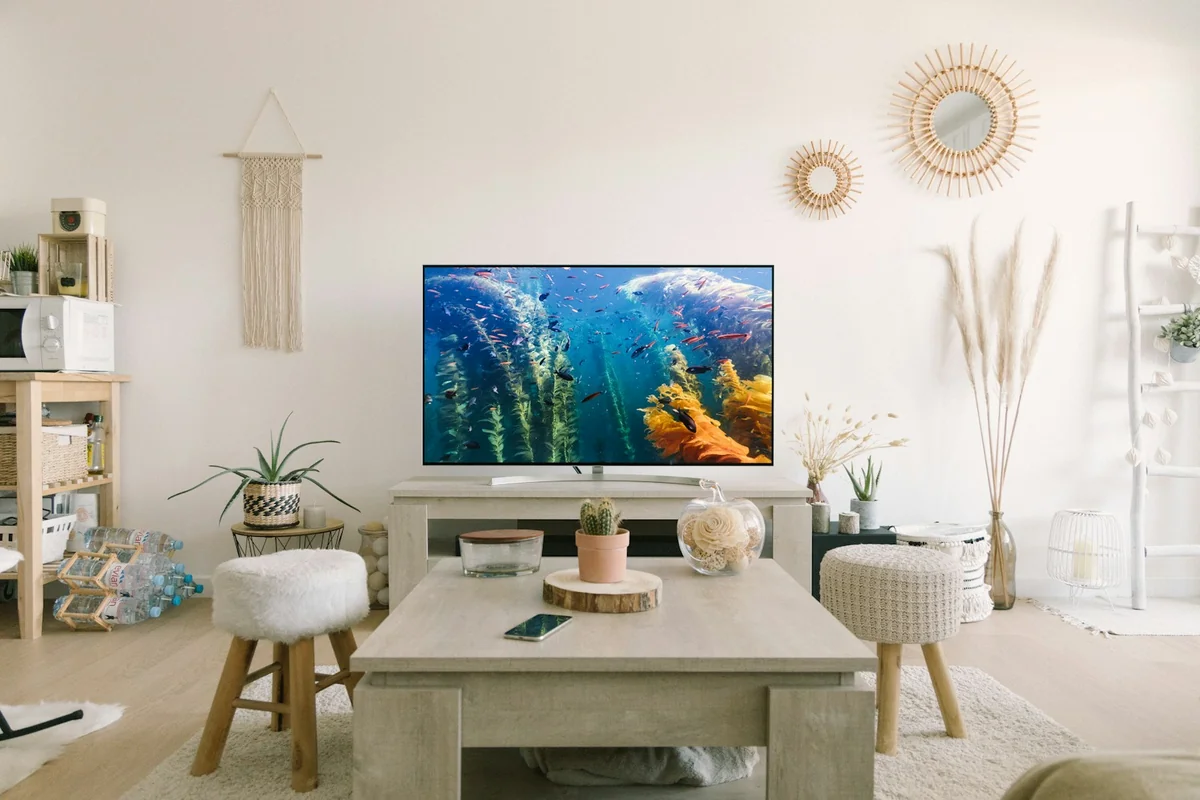
In May 2025, streaming's share of US TV viewing — 44.8% — exceeded cable and broadcast television combined for the first time in recorded history (Nielsen The Gauge, May 2025). Most of that shift runs on IPTV.
If you've seen the term and wondered what it means, you're in the right place. This guide explains IPTV from scratch — what it is, how it works, how it compares to cable and satellite, what the three types of IPTV content are, whether it's legal, and how to get started today.
IPTV One is a player application — it doesn't provide TV channels or content. You connect your own IPTV sources.
Key Takeaways
- IPTV delivers live TV, VOD, and catch-up content over your internet connection — no cable box, no satellite dish
- In May 2025, streaming beat cable+broadcast combined for the first time ever (Nielsen, 2025)
- IPTV services typically cost $10–$30/month vs $100–$147/month for cable
- You need three things to start: a broadband connection, an IPTV subscription, and a player app like IPTV One
What Is IPTV? (The One-Sentence Answer)
IPTV stands for Internet Protocol Television — it's the delivery of TV content over your internet connection instead of via a coaxial cable wire, satellite dish, or antenna. With 250 million subscribers globally in 2025 and a market projected to reach $109.34 billion in 2026 (Fortune Business Insights, 2026), IPTV isn't niche anymore. It's how the world is choosing to watch.
The "Internet Protocol" in IPTV is the same network technology that delivers web pages and emails — now repurposed to carry TV channels. When you watch a live channel or a VOD movie through an IPTV player, your device requests video data from a server, and that server streams compressed video back to you as a continuous flow of data packets.
What IPTV is not: it's not Netflix, not YouTube, not a specific subscription service. IPTV is a delivery method and a category of player apps. Netflix is technically OTT (Over-The-Top streaming), not IPTV. BBC iPlayer, however, is IPTV. So is Hulu Live. The term "IPTV" in everyday use now broadly refers to live TV content accessed via a player app and a third-party playlist — that's the meaning we'll use throughout this guide.
The key distinction most guides miss: IPTV is not a service — it's a format. You bring your own content source (a subscription from a provider, a legal M3U playlist, a broadcaster's stream). The player app — like IPTV One — is the tool that reads those sources and presents them as a unified TV experience. This separation of player from content is what makes IPTV flexible across every device.
Is IPTV the Same as Streaming?
Not exactly. Traditional IPTV uses a private, managed IP network — often your ISP's own infrastructure — with dedicated bandwidth allocation. This is how your cable company might offer "IPTV" through a set-top box. OTT (Over-The-Top), like Netflix, uses the open public internet.
In everyday usage today, the boundary has blurred. Most people saying "IPTV" mean: a live TV service accessed via an internet connection using a player app and a subscription playlist. That's the definition we'll work with — and it's the fastest-growing way people are watching television in 2026.
How Does IPTV Work?
When you press play on an IPTV channel, your player sends a request over your internet connection to a content server. That server streams compressed video back to your device as a continuous series of data packets — the same way a web page loads, but instead of text and images, it's a continuous video signal. 6 billion people — 74% of the global population — use the internet in 2025 (ITU Facts and Figures, Nov 2025). Every one of them already has the infrastructure that makes IPTV possible.
That content is often served from a Content Delivery Network (CDN) — a network of servers distributed globally. When you request a channel, the CDN delivers it from a server geographically close to you. Less distance means less latency, which means smoother playback.
Video compression is what makes IPTV practical over a standard broadband connection. Most IPTV uses H.264 (AVC) for HD streams and H.265/HEVC for 4K content. H.265 achieves the same quality as H.264 at roughly half the bitrate — meaning 4K IPTV streams at 25 Mbps instead of requiring 50 Mbps.
In our testing across multiple IPTV providers: on a 100 Mbps fiber connection, H.265-encoded 4K channels played without a single buffer event across a two-hour session in IPTV One. On a 25 Mbps DSL connection, the same H.265 channels showed intermittent buffering during peak evening hours — buffering dropped to zero when switching to HD (1080p) streams.
Live TV vs VOD: Two Delivery Methods
IPTV uses two fundamentally different delivery methods depending on the content type:
Multicast is used for live TV channels. The server sends one copy of the stream that splits at network junctions to reach multiple viewers simultaneously. Efficient at scale — thousands of people can watch the same live match with no additional server load. Uses UDP protocol (speed prioritized over perfect reliability).
Unicast is used for VOD (video on demand). The server sends a dedicated individual stream to each viewer. This lets you pause, rewind, and jump ahead — but uses more server resources per viewer. Uses TCP protocol (reliability prioritized).
Your IPTV player handles both transparently. You don't need to know which mode is active — you just press play.
What Internet Speed Do You Need for IPTV?
| Quality | Minimum Speed | Recommended Speed |
|---|---|---|
| Standard Definition (SD) | 5 Mbps | 8 Mbps |
| High Definition (HD 720p) | 10 Mbps | 15 Mbps |
| Full HD (1080p) | 15 Mbps | 25 Mbps |
| 4K Ultra HD | 25 Mbps | 50 Mbps |
| 4K — multi-device household | 50 Mbps | 100+ Mbps |
Industry consensus, 2025. Add 10–20% headroom above minimum to avoid buffering during peak hours.
These numbers are per simultaneous stream. A household with two 1080p TVs and a phone all streaming needs roughly 45–75 Mbps total.
IPTV vs Cable vs Satellite — What's the Real Difference?
IPTV sends content over your broadband connection. Cable uses a coaxial wire from a provider's local infrastructure. Satellite beams content from orbit to a dish on your roof. Each has trade-offs in cost, flexibility, and reliability — and 86.7% of cord-cutters cite high cable prices as their primary reason for switching (BroadbandSearch, 2025).
| IPTV | Cable TV | Satellite TV | |
|---|---|---|---|
| Delivery method | Internet (IP) | Coaxial cable | Satellite dish |
| Average monthly cost | $10–$30 | $100–$147 | $80–$120 |
| Contract required | No | Often (1–2 years) | Often |
| Works on mobile | Yes | No | No |
| Works on multiple devices | Yes (with player) | Limited | Limited |
| 4K/HDR support | Yes | Partial | Partial |
| Pause/rewind live TV | Yes (time-shifted) | Depends on plan | Depends on plan |
| Internet required | Yes | No | No |
| Setup time | Minutes (app install) | Days (installer visit) | Days (dish install) |
| Cancel anytime | Yes | Often penalized | Often penalized |
The one genuine downside of IPTV vs cable: if your internet connection goes down, so does your IPTV. Cable and satellite continue working during internet outages. For most households on stable broadband — 82% of US TV households own a smart TV and stream regularly (Hub Entertainment Research, 2025) — this is an acceptable trade-off given the cost difference.
According to BroadbandSearch (2025), 86.7% of cord-cutters switched from cable primarily because of cost. The average US cable bill reached $100–$147/month in 2025, including equipment rental and service fees. IPTV subscriptions covering equivalent or broader content typically cost $10–$30/month — a saving of $70–$120 per month, or $840–$1,440 per year.
The Three Types of IPTV Content
IPTV services provide three distinct types of content — and understanding the difference helps you choose the right provider and player. Streaming reached 47.5% of all US TV viewing in December 2025 (Nielsen The Gauge, Dec 2025), and all three content types contributed to that share.
Live TV (Linear IPTV)
Live TV is real-time broadcast of channels over IP networks. You watch the same stream as everyone else watching that channel — sports, news, entertainment, all happening now. Your IPTV player displays these as a channel list, often with an EPG (Electronic Programme Guide) overlaid.
The EPG is what makes IPTV feel like real TV rather than a URL list. It automatically fetches schedule data and displays it in a grid — exactly like a cable TV guide — showing what's on now and what's coming. A good IPTV player loads and refreshes EPG data in the background without you having to think about it.
Video on Demand (VOD)
VOD is an on-demand library — movies and series you request individually, whenever you want. Unlike live channels, VOD uses unicast delivery (one dedicated stream per viewer), so you can pause, rewind, and jump to any point in the content. Your provider's VOD library appears in your player alongside live channels.
Time-Shifted / Catch-Up TV
Time-shifted TV lets you watch a live broadcast up to 7 days after it aired. Your IPTV provider stores recordings server-side; when you request a past programme, the server delivers it as a unicast stream. This is how BBC iPlayer works — it's legal catch-up TV using IPTV technology.
Look for a calendar or "archive" icon in your IPTV player to access catch-up. Not all providers offer it; check your subscription plan. IPTV One displays catch-up content inline with the channel's EPG — you simply scroll back in the schedule and press play.
Is IPTV Legal?
IPTV as a technology is completely legal. The player app you download is legal. Whether the content you're watching is legal depends entirely on your source — the provider whose subscription or playlist you connect to — not the player itself. 77.2 million US households became cord-cutters in 2025 (eMarketer, Q4 2025), the vast majority using fully legal streaming and IPTV services.
Fully legal IPTV examples:
- ISP-provided TV services (your internet provider's own TV channels, delivered over their IP network)
- BBC iPlayer, ITV Hub, All 4 (UK legal broadcasters)
- Hulu Live, YouTube TV, Sling TV (US live TV streaming services)
- Official sports apps with broadcast rights (official broadcaster apps)
What makes a provider potentially problematic: unrealistically low prices for thousands of "premium" channels, no clear company identity, no customer support contact, and payment methods that don't leave a paper trail.
Using a licensed, reputable provider with a legal player app = legal IPTV. The player (IPTV One, VLC, Kodi) is neutral — like a web browser. The browser isn't illegal; accessing pirated content through it might be.
Laws vary by country. This is informational content, not legal advice. Verify the licensing status of any IPTV service in your jurisdiction.
What Do You Need to Get Started with IPTV?
You need three things to start watching IPTV: a broadband connection (minimum 10 Mbps for HD), an IPTV subscription or M3U playlist from a provider, and an IPTV player app on your device. 82% of US TV households own a smart TV (Hub Entertainment Research, 2025) — meaning most homes already have a compatible screen and internet connection ready.

IPTV works on virtually every device you already own:
- Smartphone/Tablet: Android (Google Play), iPhone/iPad (App Store)
- Smart TV: Android TV, Samsung Tizen, LG webOS via Android TV app
- Streaming sticks: Amazon Fire TV (via Downloader or APK), Chromecast
- Computers: Windows (Microsoft Store), Mac (App Store), Linux (Snap Store)
- Dedicated TV boxes: Apple TV (App Store), Android TV boxes
What M3U and Xtream Codes mean — two terms you'll encounter when setting up IPTV:
- M3U is a playlist file format — essentially a bookmark list of channel stream URLs. Your provider gives you a URL that points to this list. Your player reads it and displays the channels automatically.
- Xtream Codes is a login system — you get a server URL, a username, and a password. Your player connects to the server and loads your subscribed channels, VOD library, and EPG in one step.
Stalker Portal is a third format: you provide a MAC address and a portal URL. All three are supported by IPTV One.
Getting started with IPTV One:
- Download IPTV One free from your platform's app store — iOS/Mac, Android, Windows, Linux, or Fire TV
- Tap Add Playlist and select M3U, Xtream Codes, or Stalker Portal
- Enter your provider's credentials — channels load automatically
- Sign in for cloud sync — your playlists, favorites, and watch history sync to every device on your account
For a complete walkthrough of every playlist format, see our step-by-step IPTV setup guide.
Not sure which IPTV player to use? See our full guide to the best IPTV players across every platform.
Frequently Asked Questions About IPTV
Is IPTV legal?
IPTV technology and player apps are completely legal. The legality of the content depends on your provider. Legal providers include ISP TV services, BBC iPlayer, Hulu Live, and YouTube TV. Using an unlicensed provider to access pirated content is illegal in most countries, regardless of which app you use to watch it. With 250 million IPTV subscribers globally, the majority use legitimate services (Fortune Business Insights, 2025).
What equipment do I need for IPTV?
You need an internet connection (minimum 10 Mbps for HD streams), an IPTV subscription or M3U playlist from a provider, and an IPTV player app. No set-top box or satellite dish required. IPTV works on any internet-connected device — smartphone, smart TV, Amazon Fire TV, Apple TV, Windows PC, Mac, or Linux. The average US household already owns 4.3 streaming-capable devices (Parks Associates, 2025).
What is the difference between IPTV and streaming like Netflix?
Netflix is technically OTT (Over-The-Top), delivered over the public internet with its own content library. Traditional IPTV uses a managed IP network with dedicated bandwidth. In everyday usage, "IPTV" means live TV and VOD accessed via a player app plus a third-party subscription — this overlaps with OTT. The key difference: IPTV players like IPTV One work with any provider's content; Netflix is a closed ecosystem you can only access through Netflix's own app. See our IPTV One vs TiviMate comparison for more context on player differences.
How much does IPTV cost per month?
IPTV subscriptions typically cost $10–$30/month for a full channel package. Compare that to the average US cable bill of $100–$147/month. Free IPTV options exist — public broadcast streams and FAST (Free Ad-Supported TV) services — though they offer a limited channel selection. The IPTV One player itself is free to start; the free tier includes core playback features.
Which IPTV player should I use to get started?
For a free, cross-platform player that works on Android, iPhone, Apple TV, Windows, Mac, Linux, and Fire TV, download IPTV One. It supports M3U playlists and Xtream Codes, includes a built-in EPG, and syncs across all your devices via cloud sync. See our best IPTV player guide and our Windows IPTV guide for platform-specific recommendations.
Ready to Try IPTV? Start in Under Two Minutes.
IPTV is the technology that's already replaced cable for 77.2 million US households — and the shift is accelerating. What you need to join them:
- A broadband connection (you probably already have this)
- An IPTV subscription from a provider (or a free M3U playlist to test)
- IPTV One — free to download, works on every device you own
Download IPTV One free and connect your first playlist in under two minutes. No cable box. No satellite dish. No contract.
IPTV One is a media player application. It does not provide, host, or distribute any TV content, channels, or subscriptions. Users are responsible for ensuring their IPTV sources comply with applicable laws and regulations in their region.
Ready to try the best IPTV player?
Download IPTV One free on your preferred platform. 4K HDR, cloud sync, and multi-device support.
IPTV One is a media player application. It does not provide, host, or distribute any TV content. Users are responsible for their own content sources.